Everyone is jumping into agentic AI right now. Installing LangGraph, following a tutorial, getting something to run. That’s fine, but most people skip a step that actually matters: understanding what pattern they’re implementing before they pick a tool to implement it with.
I’ve made this mistake in other areas. You wire up a framework, it works, then something breaks and you have no idea where to look because you never understood what the framework was doing for you. Same thing happens here.
The five patterns below are what every agentic system is built from. The frameworks are just opinionated implementations of these. Learn the patterns first and the framework docs start making a lot more sense.
Table of contents
Open Table of contents
First: what does “agentic” actually mean
I’ll give you the engineering definition, not the marketing one.
An agent is a control loop that uses an LLM as its decision function:
observe → think (LLM call) → act (tool call or output) → observe againA single LLM call that answers a question isn’t an agent. It’s a prompt. What makes something agentic is the loop. The system takes an action, observes the result, and uses that to decide what to do next. It keeps going until the task is done.
That’s it. Everything else is implementation detail.
Pattern 1: Prompt chaining
Break a complex task into a sequence of smaller LLM calls, where the output of each step feeds into the next.
The mental model: An assembly line. Each station does one thing well, and work flows in one direction.

When to use it: When your task has natural sequential stages and each stage benefits from focused attention. Analyzing a legal clause in three steps (extract → identify legal concepts → assess risk) is a good example. Trying to do all three in one prompt degrades quality because the model splits its attention.
When not to use it: When you’re just avoiding writing a good system prompt. Prompt chaining is sometimes used as a workaround for a prompt that isn’t working. If one well-structured prompt does the job, use that. Every extra LLM call costs you latency and money.
Production gotcha: Errors compound. Step 2 doesn’t know that step 1 produced garbage. It just confidently processes garbage. Validate between steps, not just at the end.
Pattern 2: Routing
A first LLM call classifies the input and sends it to the most appropriate specialized handler.
The mental model: A switchboard operator. One person receives all calls and connects each one to the right department.
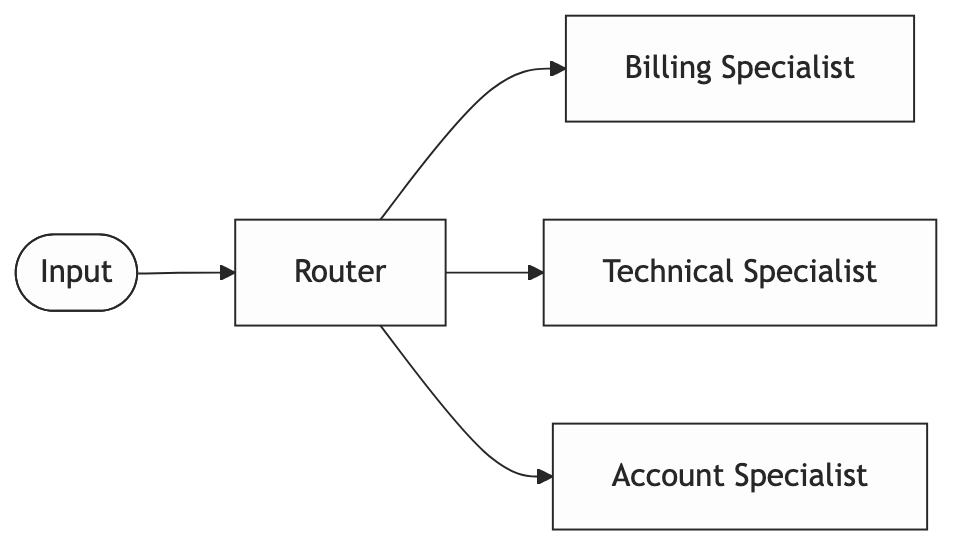
When to use it: When your inputs are diverse and a single generalist prompt handles all of them poorly. A support system handling billing questions, technical bugs, and account changes benefits from routing. Each category deserves a tight, focused prompt with domain-specific context.
When not to use it: When you have two or three clearly distinguishable cases. An if/else is faster, cheaper, and easier to debug than an LLM router. Reach for routing when the classification itself is genuinely ambiguous and actually needs language understanding to decide.
Production gotcha: The router becomes a single point of failure. When it misclassifies, the downstream specialist confidently handles the wrong problem. Log every routing decision with the full input. You’ll need it.
Pattern 3: Parallelization
Run multiple LLM calls simultaneously and aggregate the results.
The mental model: A team working on different sections of the same document in parallel, then handing off to one person to combine them.
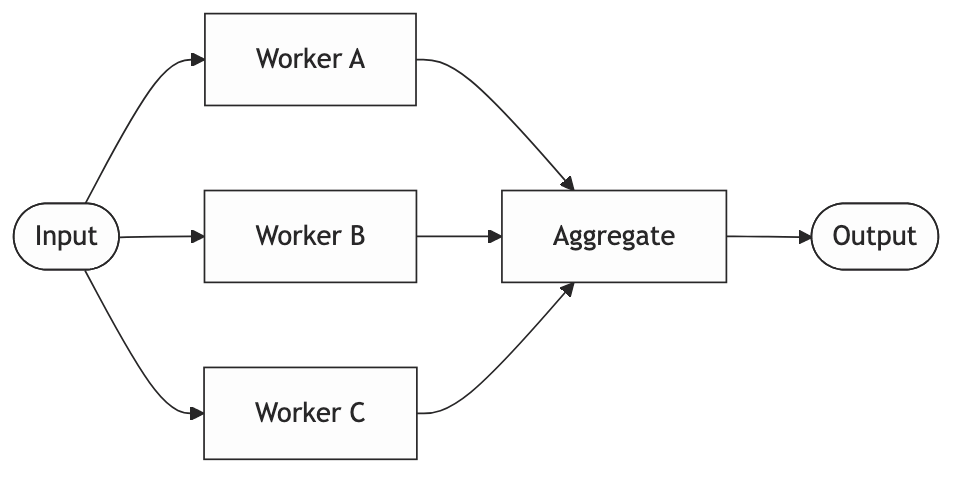
Two variants worth distinguishing.
1. Sectioning: split a large input into chunks, process each independently, stitch together. Useful for documents that blow past context limits.
2. Voting: run the same task multiple times with different prompts or temperatures and synthesize the best answer. Useful when you care more about reliability than speed.
When to use it: When tasks are genuinely independent, meaning no worker needs another’s output to proceed. Or when you need to reduce variance in a high-stakes decision.
When not to use it: When you manufacture parallelism where there isn’t any. If your workers actually depend on each other’s outputs, you’re just adding complexity and a harder aggregation problem.
Production gotcha: With async execution, you need to think about partial failures. What does your aggregator do when three workers succeed and one errors out? Silently producing incomplete output is worse than failing loudly.
Pattern 4: Orchestrator-Worker
A high-level agent plans the work at runtime and delegates to specialized workers. The workers report back. The orchestrator synthesizes.
The mental model: A project manager and their team. The PM doesn’t do the work. They figure out what needs doing, assign it, and put the results together.
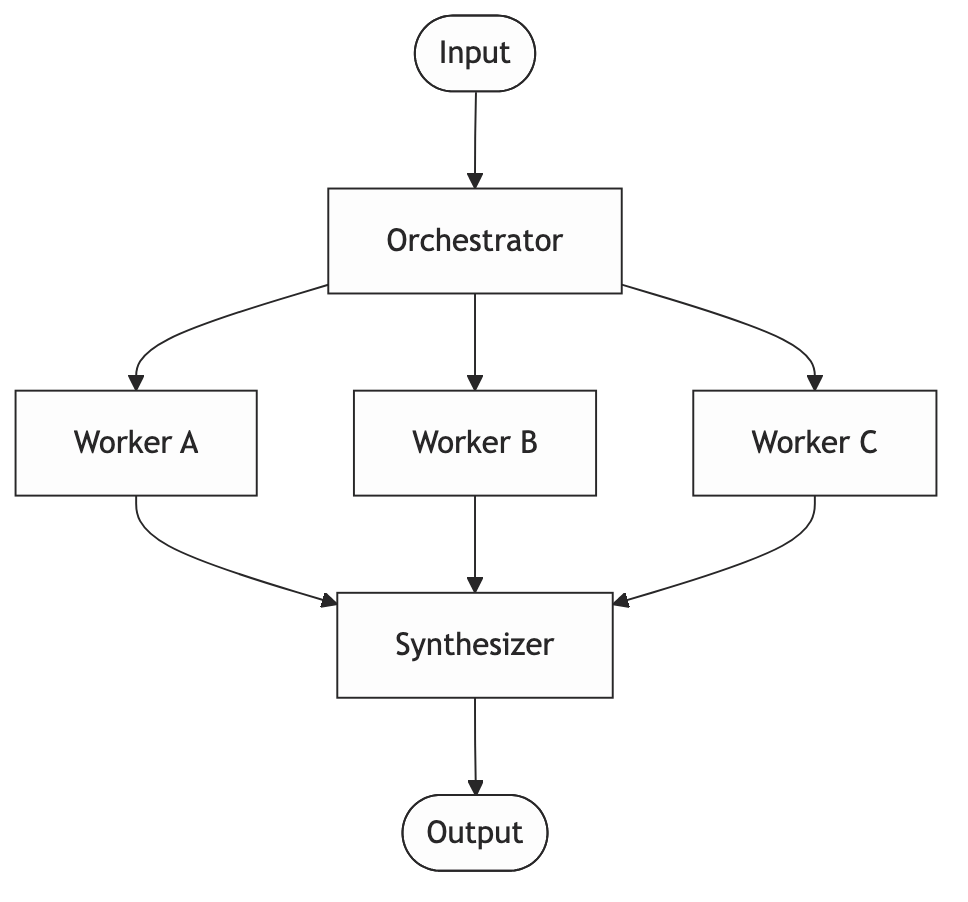
The key distinction from parallelization: the plan isn’t hardcoded. The orchestrator decides at runtime which workers to invoke and in what order. That’s what makes it powerful for open-ended tasks, and what makes it overkill for simple ones.
When to use it: Complex tasks where the required steps aren’t known upfront. A research agent that searches, identifies gaps in what it found, searches again, and finally synthesizes. That’s orchestrator-worker.
When not to use it: When you know the steps ahead of time. If your orchestrator always calls the same three workers in the same order, it’s just prompt chaining with extra complexity.
Production gotcha: Orchestrators loop. There’s no natural stopping condition. An orchestrator that keeps deciding “I need more information” will run forever if you let it. Set a hard limit on iterations. Hard-code a maximum cost. Don’t assume the model will know when to stop.
Pattern 5: Evaluator-Optimizer
One LLM generates output. A second LLM evaluates it against defined criteria. If it doesn’t pass, the generator tries again with the feedback.
The mental model: A writer and an editor in a revision loop. The writer produces a draft, the editor marks it up, the writer revises. Repeat until the editor is satisfied or the deadline hits.

When to use it: When you have a clear definition of “good enough” that’s hard to express in a single generation prompt but easy to check separately. Code generation is the obvious case: generate → run tests → feed failures back → regenerate. The test suite is your evaluator.
When not to use it: When you don’t have clear criteria. An evaluator that just says “make it better” produces random variation, not improvement. You need a rubric, not a vibe.
Production gotcha: Your evaluator needs to be stricter than your generator. If they’re the same model with similar prompts, the evaluator tends to approve mediocre output. Either use a stronger model for evaluation, or ground it in something deterministic: schema validation, rule checks, unit tests.
These patterns combine
Most real systems use more than one. A customer support system, for example, might use Routing to decide whether a ticket goes to billing or technical support, Orchestrator-Worker to gather the information needed to resolve it, and Evaluator-Optimizer to check the response before it goes out. You end up combining patterns naturally as the problem gets more complex.
The point is you rarely sit down and design it that way. You build it, hit problems, and reach for the right pattern when you need it. Knowing the patterns in advance just means you recognize what you’re doing faster.
Before you open the framework docs
Two questions worth answering first.
Which of these patterns does my problem actually need? Sometimes the honest answer is none of them. It’s just a prompt.
And: can I implement this in a hundred lines of Python before adding a framework? Usually yes. Doing that first means you understand what the framework is abstracting. When something breaks in production, you’ll have a much better chance of knowing where to look.
Summary
| Pattern | Mental model | Use when | Watch out for |
|---|---|---|---|
| Prompt Chaining | Assembly line | Sequential stages, each needs focus | Errors compound across steps |
| Routing | Switchboard | Diverse inputs, specialist handling | Router is a single point of failure |
| Parallelization | Parallel team | Independent tasks, speed or reliability | Partial failure handling |
| Orchestrator-Worker | PM + team | Open-ended tasks, dynamic planning | Infinite loops, runaway costs |
| Evaluator-Optimizer | Writer + editor | Clear quality criteria, iterative improvement | Weak evaluator approves mediocre output |